Here is the video that lets you have a rough idea on valve processing I've done.
Unfortunately, the audio quality through YouTube is terrible. I will keep looking for a better way to present audio files on this blog.
UPDATE:
Apparently, Vimeo offers much better image and sound quality. I think it should be OK to use it here:
Valve processors from Karol Pilch on Vimeo.
Fitz Choir - finall Logic session
Yesterday I finished working on the choral material from Fitzwilliam Chapel Choir.
In General
My work was just to cut the whole material into separate tracks, make them fade in and out nicely and set the levels so that the full range of bit space is used.
Gate
As I noticed in few pieces, there is a space between the song and the applause. I tried removing this silence and putting clapping right after the song is finished, but that sounds very unnatural. Instead I used a noise gate set to decrease levels by 16dB when nothing is going on. The noise from EQ and the record itself gets then decreased, but it is still possible to hear people coughing and making noises before they start clapping. This sounds much better.
To be sure that it doesn't cut anything during the songs, I used automation to keep it off except for the end of the song.

EQ and gate used in final bounce-down.

Automation on gate's reduction. For when I need it, it goes down to -16dB, otherwise it stays at 0 - no change.
EQ
Additionally, I used EQ once more (but this time I relied on Logic's own EQ) to reduce wide band around 750Hz by -6dB in the deepest place. After a while of rest after the previous session, I found those frequencies still a bit too loud.
Levels
I found that even during the loudest parts of songs, I can still rise the levels by 2.1dB. I couldn't keep this loudness though, as this would make applause heavily clipped. To have both songs and clapping with proper level, I used automation again - just to reduce loudness from 2.1dB to -3.1 during applause.
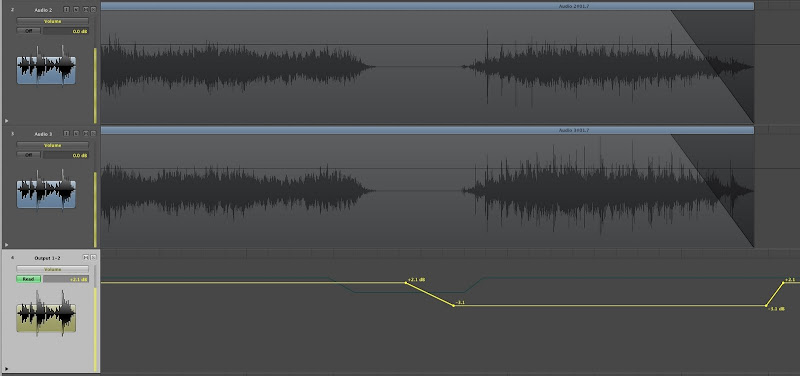
Automation on Output Volume during applause.

Wider view of automation on the output.

This is how the finished track looked like.
After all that, I only had to bounce the material down, track by track. I set the output sampling rate to 44100Hz as this is the rate that is going to be used when burning a CD.
Now I only have to burn a CD and it's all done!
In General
My work was just to cut the whole material into separate tracks, make them fade in and out nicely and set the levels so that the full range of bit space is used.
Gate
As I noticed in few pieces, there is a space between the song and the applause. I tried removing this silence and putting clapping right after the song is finished, but that sounds very unnatural. Instead I used a noise gate set to decrease levels by 16dB when nothing is going on. The noise from EQ and the record itself gets then decreased, but it is still possible to hear people coughing and making noises before they start clapping. This sounds much better.
To be sure that it doesn't cut anything during the songs, I used automation to keep it off except for the end of the song.

EQ and gate used in final bounce-down.

Automation on gate's reduction. For when I need it, it goes down to -16dB, otherwise it stays at 0 - no change.
EQ
Additionally, I used EQ once more (but this time I relied on Logic's own EQ) to reduce wide band around 750Hz by -6dB in the deepest place. After a while of rest after the previous session, I found those frequencies still a bit too loud.
Levels
I found that even during the loudest parts of songs, I can still rise the levels by 2.1dB. I couldn't keep this loudness though, as this would make applause heavily clipped. To have both songs and clapping with proper level, I used automation again - just to reduce loudness from 2.1dB to -3.1 during applause.
Automation on Output Volume during applause.

Wider view of automation on the output.

This is how the finished track looked like.
After all that, I only had to bounce the material down, track by track. I set the output sampling rate to 44100Hz as this is the rate that is going to be used when burning a CD.
Now I only have to burn a CD and it's all done!
Valve kit pics - Fitz Choir
Here we go:
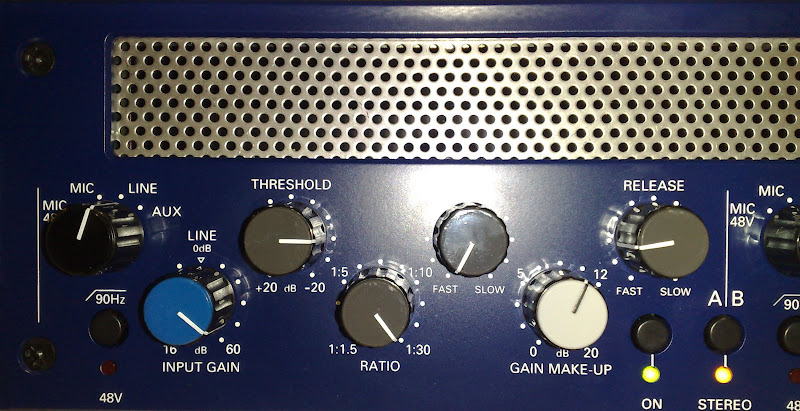
Compression settings for channel A. There is a MASSSIVE input gain, because I was a bit scared to bring the levels up while recording. The threshold is set so that it enables the compression only on really loud sounds - so it pretty much works like a limitter (ratio of 1:30). Very fast attack - not to let any loud sounds through.
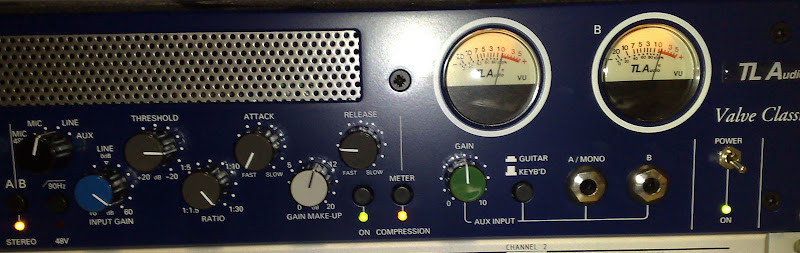
Compression channel B + meters. Settings are the exact mirror of channel A (somehow I couldn't get the Stereo button to work). Gain makeup a little tweaked to keep the balance between left and right even.
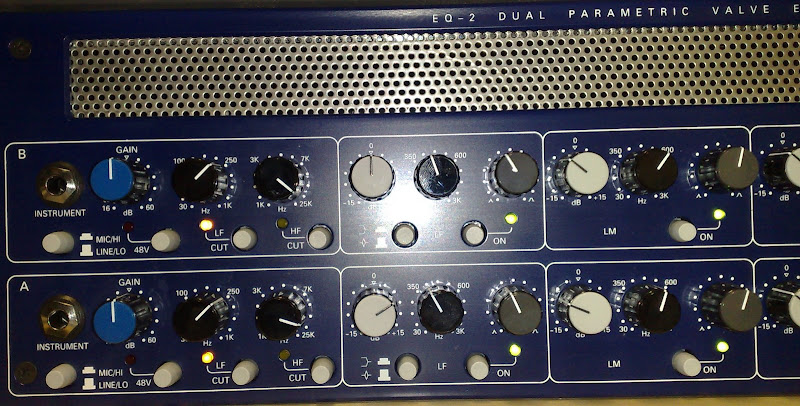
EQ: Gain, Low-cut, High-cut, Low freq band and Low-medium freq band. The shelf/band switch was at 'shelf' position (LF).
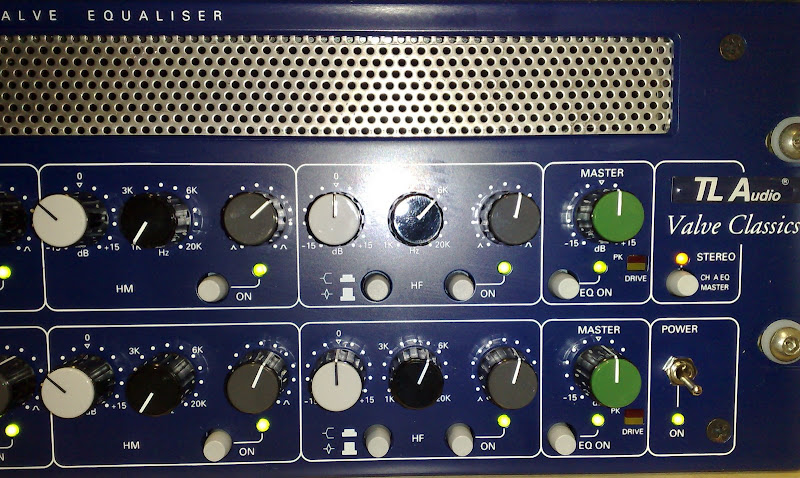
EQ: High medium freq band, High freq band and master gain. Note that only Channel A (bottom one, apparently) controls the EQ as it is the master when they are linked using Stereo button.
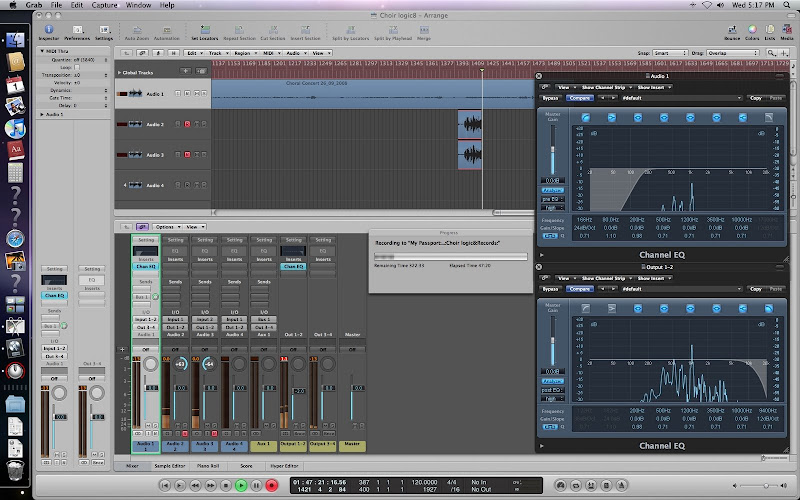
Screenshot of Logic session while bouncing down from valves. On the right: Logic EQs. top one cuts down bottom of the signal that went to valves, to reduce humming noise I wrote about earlier. It was much easier to filter it out using Logic EQ than valves. The bottom EQ shows the reduction I done to the bounced down signal to eliminate hiss made by valve EQ.
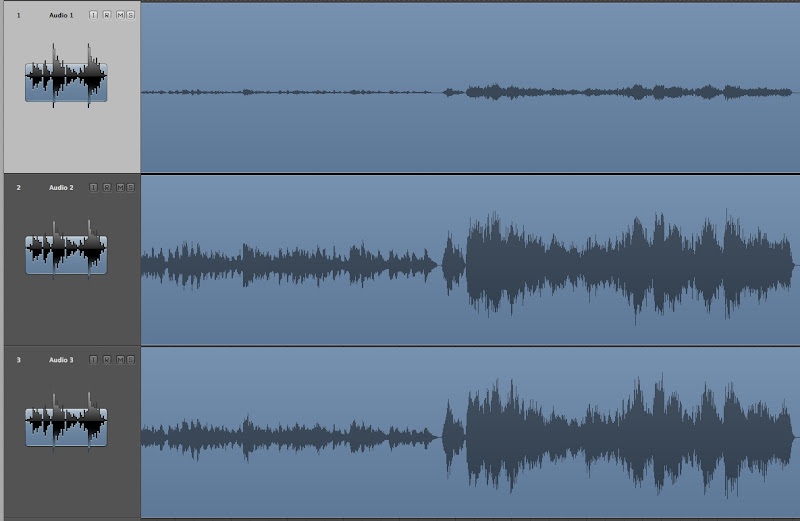
Screenshot comparing original and bounced down tracks - note rather dramatic inrease of levels!
Compression settings for channel A. There is a MASSSIVE input gain, because I was a bit scared to bring the levels up while recording. The threshold is set so that it enables the compression only on really loud sounds - so it pretty much works like a limitter (ratio of 1:30). Very fast attack - not to let any loud sounds through.
Compression channel B + meters. Settings are the exact mirror of channel A (somehow I couldn't get the Stereo button to work). Gain makeup a little tweaked to keep the balance between left and right even.
EQ: Gain, Low-cut, High-cut, Low freq band and Low-medium freq band. The shelf/band switch was at 'shelf' position (LF).
EQ: High medium freq band, High freq band and master gain. Note that only Channel A (bottom one, apparently) controls the EQ as it is the master when they are linked using Stereo button.
Screenshot of Logic session while bouncing down from valves. On the right: Logic EQs. top one cuts down bottom of the signal that went to valves, to reduce humming noise I wrote about earlier. It was much easier to filter it out using Logic EQ than valves. The bottom EQ shows the reduction I done to the bounced down signal to eliminate hiss made by valve EQ.
Screenshot comparing original and bounced down tracks - note rather dramatic inrease of levels!
Fitz Choir - post-production
OK, I finally opened the Fitz Choir recording in Logic, in ARU Mastering Studio. After a couple of minutes of figuring out how the signal goes around the studio (congratulations to Nick for clear and easy to use layout!), I started listening.
First listen
As I suspected just from listening how the concert sounded live, I discovered quite high frequency content in middle range, between 500Hz and 1.5kHz. I don't quite like records that have too much in there, so I put the recording through TLAudio valve kit.
Compression
I used the compressor just for increasing the levels to drive the EQ. I left the compression ratio at 1:30 and set the threshold so it would work as a limiter for the loudest sounds only. Attack was set to minimum, and release not much longer.
EQ
In the EQ unit, I did some basic adjustments - I took down 600Hz + surroundings, took up what was below 400Hz using shelf EQ, cut off what was below 250Hz using low-cut. Also, I decreased 1kHz with surroundings because I didn't like what was in there.
That all, combined with incredibly warm sound of valves, created beautiful sounding effect. EQ leaves quite a lot of hiss though, which I will have to remove in Logic later.
I am not quite happy with the stereo spread - but as I said before, I didn't want to set the microphones too wide apart in case the audience wasn't quiet enough.
At this very moment, the whole thing is bouncing down to new tracks. I now plan to tweak the result in Logic (possibly use the unprocessed recording with added reverb for applause), split the songs and the whole processing should be over!
Final Project confirmed
Today I had my first chat with my project supervisor, John. He basically agreed and confirmed that my proposal is OK. He advised me to get in touch with British Library in London and search for logbooks of some good sound engineers that worked on live performances. Great idea for an initial research.
Apart of that, as a part of initial research, I should start looking for a concert to record. Hopefully, there is something interesting going on this autumn / winter in Cambridge.
Apart of that, as a part of initial research, I should start looking for a concert to record. Hopefully, there is something interesting going on this autumn / winter in Cambridge.
Fitz instrumental pics
OK, next part, this time from Sunday:
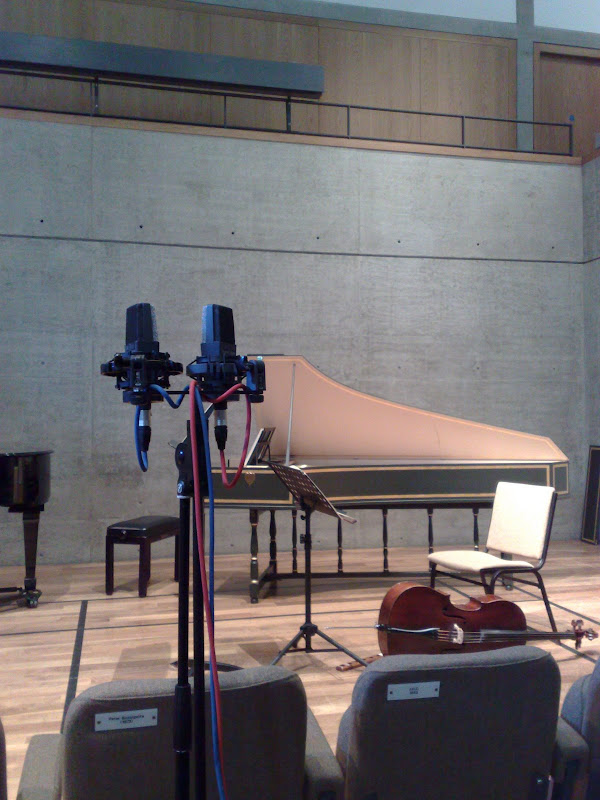
C414s with some instruments on the stage
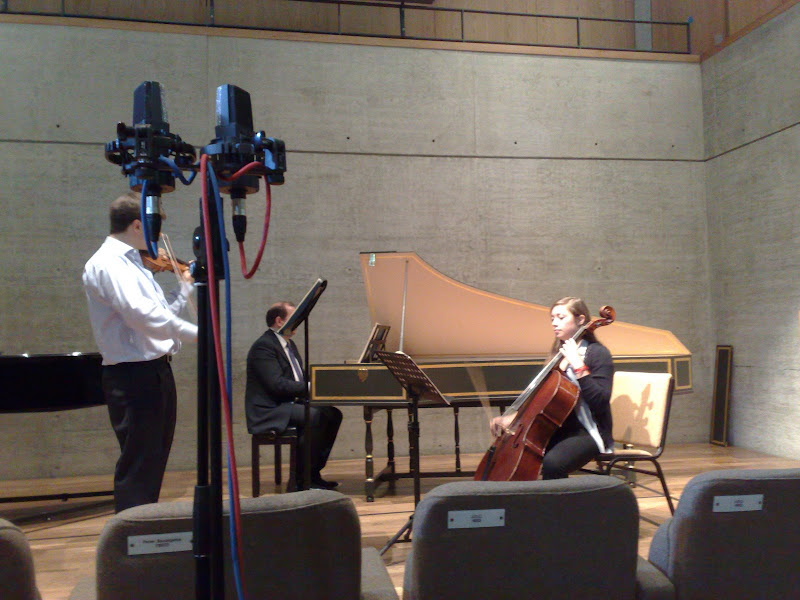
...and even some players!
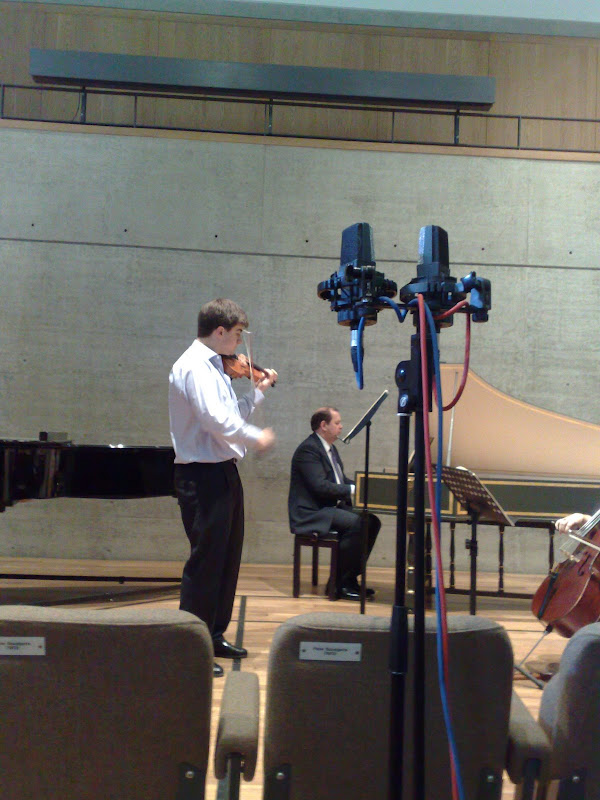
Another view.
C414s with some instruments on the stage
...and even some players!
Another view.
Fitz Choir recordings pics
Here we go. Pictures are made with my phone, so sorry for the quality...
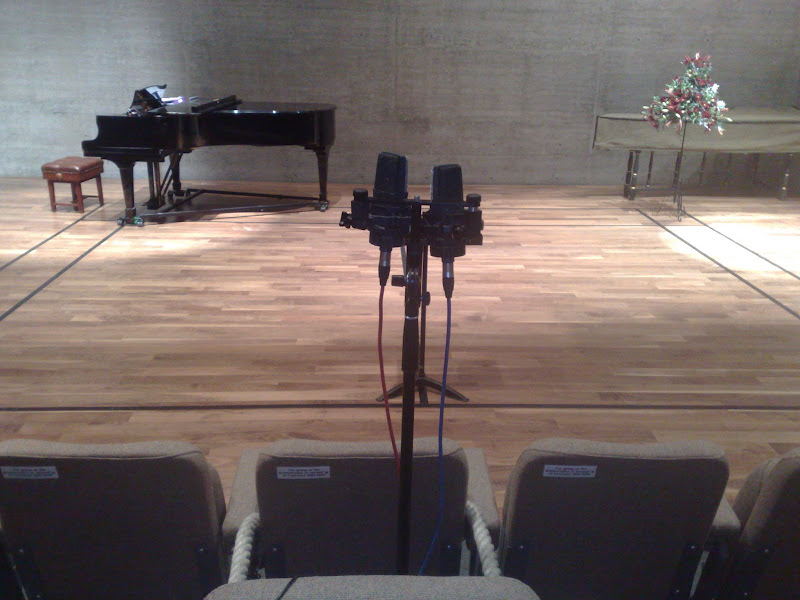 C414s looking at the stage
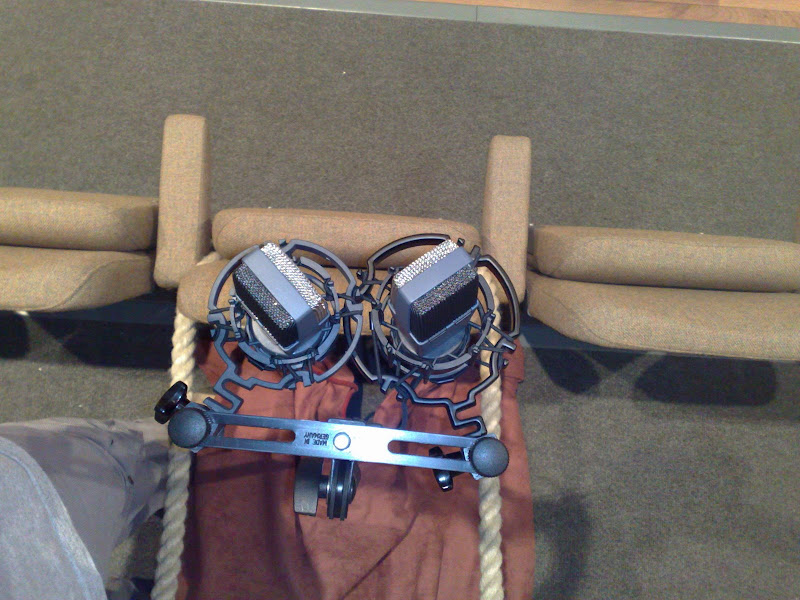
About 90 degrees...
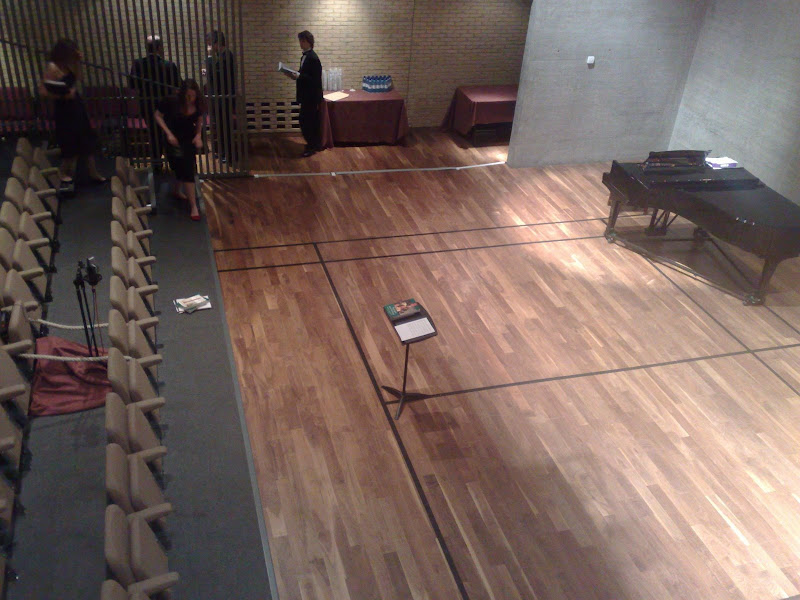 Side view of mics and stage
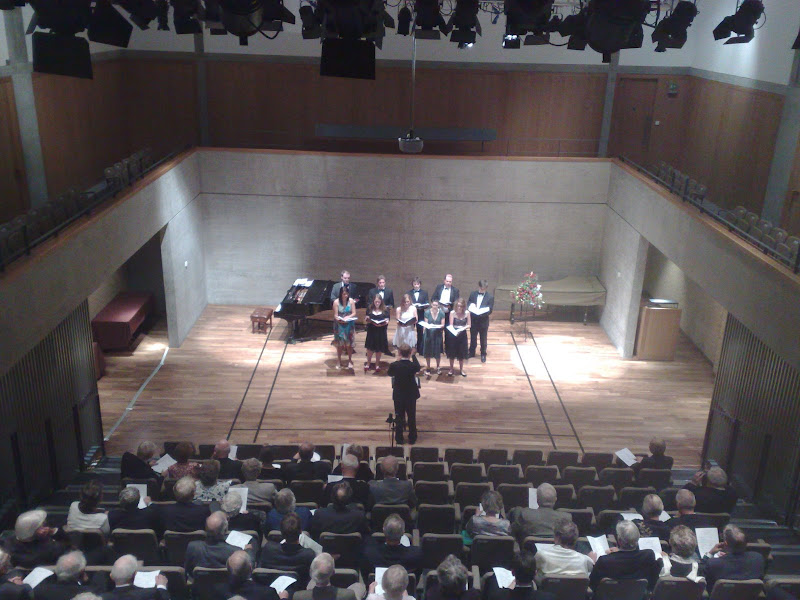
... and a top view. Mics are just a shadow next to the director.
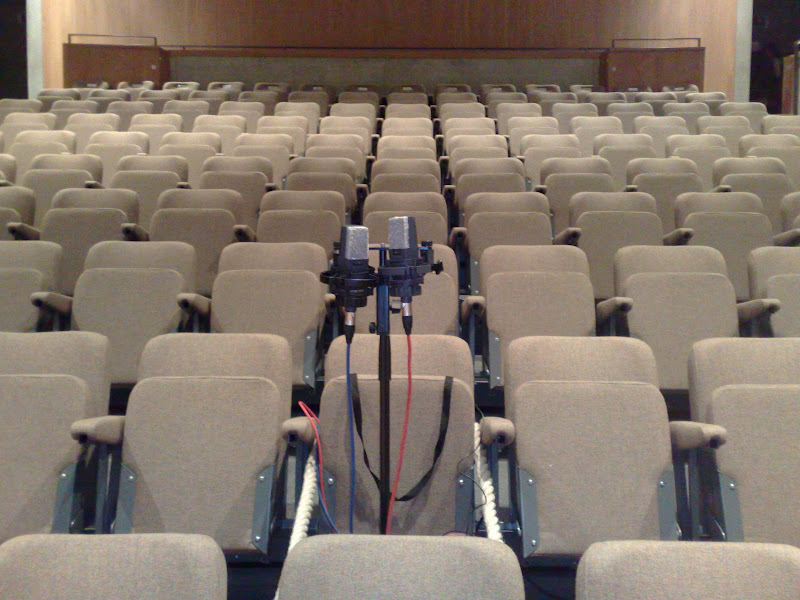
This is how this looked like from the stage.
 C414s looking at the stage
About 90 degrees...
 Side view of mics and stage
... and a top view. Mics are just a shadow next to the director.
This is how this looked like from the stage.
Subscribe to:
Posts (Atom)